

Snap your fingers. Get the recipe.
Share a recipe from any website or Instagram into Lusk. The ads, the cookie banners and the life story stay outside. Only what matters is left: ingredients, steps and calories.
Lusk is in beta for now. On iPhone you install it with TestFlight, Apple’s official app for testing.
Wherever the recipe is.
The plus button in Lusk offers every route. The fastest one is Share, right from your browser or Instagram.
- Web
- Any recipe in your browser. Via Share or by pasting the link.
- Posts and reels with the recipe in the caption.
- YouTube
- A link to a recipe video.
- Photo
- A handwritten recipe or a cookbook page.
- Text
- Anything on your clipboard.
TikTok isn’t supported yet.
Can’t see Lusk in Share? Add it in ten secondsTired of the same three dinners on repeat?
No idea what to cook today?
Open Discover. Every day it serves new ideas based on the time of day, the season, what’s in your pantry and the recipes you’ve saved.
- Today’s pick
- For dinner
- Ready in 20 minutes
- In season now
- Cook it now
- Because you saved Spaghetti carbonara
- From people you follow
- For the weekend
- Community favourites
- It learns what you like.
- The rows you open most move up for you, and the more recipes you save, the better the ideas.
- It cooks with what you have.
- “Cook it now” shows recipes you already have almost everything for.
- It knows when you cook.
- Breakfast in the morning, dinner in the evening, something slower at the weekend.
New in Premium
Meet Luskoun. He plans your week.
Tell him what you fancy, how much time you have or what needs using up. Luskoun puts the week together from your recipes, your pantry and Discover, and adds it to your Meal Planner and shopping list in one tap.
Try asking him:
- Plan dinners for the week, pizza on Friday
- Something with fish on Wednesday
- A week without meat
- What can I cook from what I have?
- He cooks from your recipes.
- Your saved recipes come first, especially the ones you haven’t made in the last two weeks. Discover fills any gaps.
- He knows what’s in the fridge.
- Pantry items get used before they go off, and fresh ingredients are spread over several days.
- You have the last word.
- Swap or skip any day. Or just tell him: “something quick on Thursday”.
- He writes recipes too.
- Without meat, quicker, or from what you have at home. Luskoun adapts a recipe or comes up with a new one.
Lusk picks the meals on your phone and never breaks your allergies, diet or time limit. The AI only understands what you write and words Luskoun’s reply.
Luskoun is part of Premium. Don’t want him? Switch him off in Settings.

One recipe, the whole week.
Saving a recipe is the start. Lusk keeps working with it, from the meal plan to the shop to the stove.
1Save
A cookbook that won’t fall apart.
Sort recipes into collections: Baking, Quick dinners, Grandma’s. Each one has a photo, ingredients with pictures and steps you can follow.
- Private or public collections
- Rescale servings in one tap
2Plan
You know what’s for dinner. Even on Thursday.
Assign recipes to breakfast, lunch and dinner for the whole week. Drag a meal to another day, or copy a good day forward.
- The week on one screen
- Copy a day
3Shop
The shopping list writes itself.
One tap from your meal plan. The same ingredients from different recipes add up, and the list is sorted by store aisle.
- Sorted by aisle
- Shared live with your household
4Cook
Your phone keeps up with the stove.
Cooking mode shows one step, stays awake and reads it out loud. Blink to move to the next step, so doughy hands are fine.
- Reads steps aloud
- Timers straight from the text
5Use up
Cook from what you already have.
Note what’s in your fridge, freezer and pantry. Lusk suggests recipes from it, so nothing goes to waste.
- Fridge, freezer and pantry, with amounts
- Suggestions from your pantry
One list for the whole household. Free.
Invite your family or flatmates. You all see the shopping list, pantry and meal plan live: when someone ticks off milk, it disappears for everyone. Sharing a household is free, no Premium needed.
The details we care about.
1,320 ingredients with pictures
Every ingredient has its own picture, nutrition data and a place in the store.
Calories, counted for you
From the amounts we work out calories, protein, carbs and fat. Per serving or for the whole recipe.
Honey-glazed chicken slices, whole recipe
Recipes from anywhere, in your language
A recipe from a foreign blog arrives translated, ingredient names included.
Servings in one tap
Type the number of servings and every amount is recalculated.
The author stays visible
Every import keeps a link to the original page and the author’s name.
No ads. Even for free.
There are no ads in Lusk. Not even in the free version.




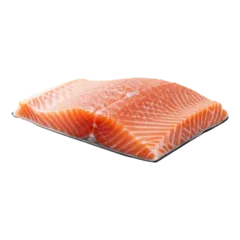







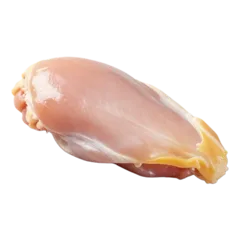 Chicken breast
Free to start. Premium when you want it.
Free
0 CZK forever
- 10 recipe imports
- 5 AI recipes
- Meal plan, shopping list and pantry
- Cooking mode
- Household sharing
Premium
49 CZK a month, or 499 CZK a year
- Unlimited imports
- Unlimited AI recipes and ideas
- Luskoun, who plans your week
- Calories and macros on every recipe
- Unlimited library and collections
- 7-day free trial
Family
99 CZK a month
- Premium for up to 4 people
- Each on their own phone
- Invite with a 6-digit code
Prices apply from the App Store release. Subscriptions are paid and cancelled through Apple, no commitment.
Questions
What is TestFlight?
Apple’s official app for trying apps before release. Get it from the App Store, open our link and Lusk installs like any other app.
Is Lusk on Android?
In beta on Google Play for now. We’re working on the full release.
Where can I save recipes from?
Any website, Instagram (when the recipe is in the caption), YouTube, a photo or text. TikTok isn’t supported yet.
What if the page has no recipe?
Lusk tells you it couldn’t find one, and nothing is saved.
Who is Luskoun?
The planning assistant in Lusk. Tell him what you need and he builds a week of meals from your recipes, pantry and Discover, adds it to your Meal Planner and prepares the shopping. He can also write or adapt a recipe. He’s part of Premium.
What does Luskoun send to the AI?
For planning, only the text of your conversation, today’s date and the titles of the meals in the draft. Lusk works out which meals to suggest on your phone, so your recipes, pantry and profile stay with you. When you ask him to write or change a recipe, he also sends that recipe, your allergies and, for “from what I have”, a few pantry item names. We use the paid tier of Google Gemini. Switch Luskoun off in Settings → Artificial intelligence.
Do I need Premium to share shopping with my family?
No. Sharing a household (shopping list, pantry and meal plan) is free.
How do I cancel?
In iPhone Settings tap your name, then Subscriptions, and choose Lusk. You can cancel any time.
How do I delete my account?
In the app’s Settings, or follow the steps on the Delete account page.
Lusk is made by Kristýna and Daniel.
We build it in the Czech Republic, just the two of us. Got an idea, found a bug, or missing something?
Write to us